When you’re just starting out online, it can feel like everyone else has fancy software, big budgets, and entire teams behind them—and you’re sitting there with a laptop, an idea, and…not much else. The good news? You don’t need a huge budget to start doing real digital marketing.
There are plenty of free marketing tools for beginners that can help you plan content, design graphics, understand your audience, and share your message more consistently. You don’t have to use them all at once. The key is to pick a few simple, free tools that match where you are right now and build from there.
In this guide, you’ll learn:
- What “free marketing tools” really are (and what they’re not)
- How they fit into a basic digital strategy
- 10 categories of tools beginners can start using today
- A step-by-step plan for putting them together into a simple system
What Are Free Marketing Tools?
In plain English, free marketing tools are apps, websites, or software that help you promote your brand, content, or offers—without paying upfront. Many of these tools offer:
- A forever-free plan with limited features
- A free trial that lets you test premium features
- A lite version designed for individuals and small teams
They can help you with almost every part of digital marketing, including:
- Content ideas and keyword research
- Graphic design and visuals
- Email marketing and newsletters
- Social media scheduling
- Analytics and tracking
- Video creation and screen recording
- AI-powered assistance for writing and planning
The catch? Free tools usually come with limits:
- Caps on the number of projects, emails, or posts
- Watermarks on graphics or videos
- Limited storage or monthly usage
That’s okay when you’re just starting out. The goal is to learn the basics, build consistency, and prove your concept before investing in paid tools.
How Free Marketing Tools Fit Into Your Digital Strategy
Instead of thinking, “Which tools should I use?” start with, “What am I trying to do?”
Most beginners need to:
- Attract people (traffic and attention)
- Keep people engaged (content and email)
- Guide them toward offers (affiliate links, digital products, services)
Free marketing tools help with each of these stages.
Attract
Tools that help you get found:
- Keyword research tools
- SEO and on-page optimization tools
- Content planning and topic discovery
- Social media scheduling tools
Engage
Tools that help you keep people interested:
- Graphic design tools for thumbnails and visuals
- Email marketing tools for newsletters
- Landing page or website builders
Convert
Tools that help you turn attention into income:
- Link tracking and basic analytics
- Funnels and simple automation
- Screen recording and video tools for tutorials and demonstrations
- AI tools for polishing your copy and CTAs
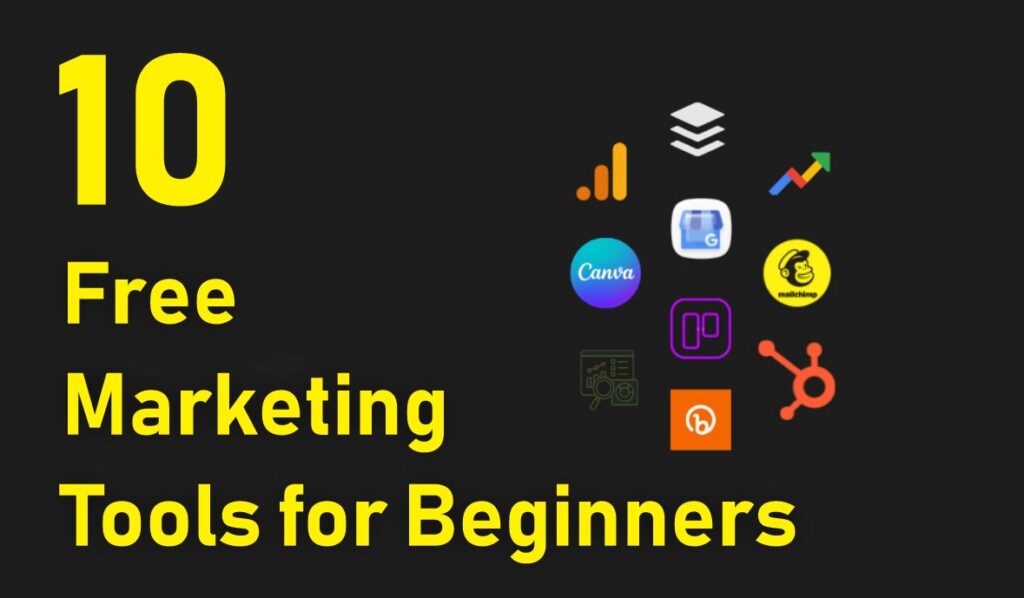
10 Free Marketing Tools for Beginners (By Category)
Rather than focusing on specific brand names (which change all the time), this list focuses on types of tools that most beginners should know about. For each category, you can search for “free [tool type] for beginners” and find several options.
1. Free Keyword Research Tool
If you want people to find your articles, videos, or landing pages through search, you need at least a basic understanding of keywords: the phrases your audience types into Google, YouTube, or other search engines.
A free keyword research tool helps you:
- Discover what people are searching for
- See search volume ranges and competition
- Find long-tail keywords (longer, more specific phrases)
- Brainstorm article or video topics
Why It’s Useful for Beginners
- Helps you avoid guessing what to write or record
- Gives you content ideas that actually match real searches
- Guides your titles, headings, and meta descriptions
Practical example: You want to create a post about AI writing tools. A keyword tool might show you variations like “what is an AI writing tool,” “how AI helps you write faster,” or “AI tools for beginners.” Each variation can become its own piece of content or section in an article.
2. Free SEO & Site Audit Tool
Once you start publishing content, you’ll want to know:
- Is my site easy for search engines to crawl?
- Are my pages structured correctly?
- Are there broken links or missing meta tags?
Free SEO and audit tools help you:
- Scan your site and identify technical issues
- Get basic suggestions for improvements
- Check on-page elements like titles, descriptions, and headings
Why It’s Useful for Beginners
You don’t need to be an SEO expert. A simple audit can tell you:
- Which pages are missing SEO basics
- Whether your site loads too slowly
- Where your internal links are weak
From there, you can slowly improve your content and structure without guessing.
3. Free Graphic Design Tool
Visuals matter—even if your content is mostly text-based. A free graphic design tool lets you create:
- Blog post featured images
- YouTube thumbnails
- Social media graphics
- Simple infographics and checklists
- Lead magnet covers
Most beginner-friendly tools offer:
- Drag-and-drop interfaces
- Pre-made templates
- Icon, shape, and font libraries
- Image resizing for different platforms
Why It’s Useful for Beginners
You don’t need advanced design skills. You can:
- Start with a template and just replace text
- Keep your branding consistent (colors, fonts, logo)
- Make your content look more professional and clickable

4. Free Stock Photo & Icon Library
Sometimes you just need a clean, relevant image to make a page more engaging. Free stock image and icon libraries give you:
- Royalty-free photos
- Illustrations and vectors
- Icons for UI, lists, and visual cues
Why It’s Useful for Beginners
- Saves time compared to shooting your own photos
- Avoids copyright issues vs. random image downloads
- Enhances blog posts, landing pages, and social posts
You still want to choose images that:
- Match your brand style
- Are not overused “obvious stock photos”
- Support the point you’re making in the content
5. Free Email Marketing Tool
Even if you’re just starting, building an email list is one of the smartest things you can do. A free email marketing tool usually includes:
- A limited number of subscribers (great for early stages)
- Simple email templates
- Basic automations (like welcome emails)
- Sign-up forms or landing page options
Why It’s Useful for Beginners
- Gives you direct access to your audience (not controlled by algorithms)
- Lets you send updates when new content goes live
- Allows you to recommend tools, guides, or offers over time
For example, you might:
- Offer a free checklist or mini guide as a sign-up incentive
- Send a weekly email featuring your latest AI tools or software tutorials
- Gradually introduce affiliate recommendations and resources
6. Free Social Media Scheduling Tool
Posting on social media manually every day can become exhausting. A free scheduling tool lets you:
- Queue up posts in advance
- Share your content multiple times across platforms
- Maintain a consistent presence even when you’re busy
Why It’s Useful for Beginners
- Helps overcome “I forgot to post” or “I had no time today”
- Lets you batch-create posts once or twice a week
- Keeps your blog posts and videos circulating instead of disappearing after one share
A simple strategy:
- Every time you publish a new blog post, create 3–5 social posts from it
- Schedule them over the next few weeks
- Rotate old content back into your schedule for new followers to discover
7. Free Link Tracking & Analytics Tool
If you’re doing any kind of affiliate marketing, content promotion, or funnel building, link tracking tools are incredibly helpful. A free link tracker can:
- Shorten long URLs
- Track clicks and basic traffic sources
- Help you see which promos or assets perform best
Why It’s Useful for Beginners
- You can identify which blog posts or videos send the most clicks
- You can test different calls-to-action or button placements
- You can see whether your social posts or emails are actually driving action
This is especially important when you start working with affiliate links and bonus pages, where understanding what converts makes all the difference.
8. Free Screen Recording & Basic Video Tool
Video is powerful for:
- Tutorials
- Product walkthroughs
- Explainer content
- Online courses and mini-lessons
A free screen recording tool lets you:
- Capture your screen
- Record your voice (and sometimes webcam)
- Export simple video files you can upload or share
Why It’s Useful for Beginners
- Perfect for showing how software or AI tools work
- Great for building trust with how-to content
- Lets you repurpose recordings into mini lessons or lead magnets
For example, a screen recording tool is ideal if you’re explaining:
- How an email marketing automation works
- How to use an AI writing tool to create outlines
- How to set up a simple landing page with your CMS

9. Free AI Content Helper (Writer, Outliner, or Idea Generator)
AI tools can be a huge time-saver when used correctly. A free AI content helper can assist with:
- Brainstorming blog post and video ideas
- Creating outlines based on your topic
- Drafting first versions of paragraphs or scripts
- Rephrasing or tightening up your writing
Why It’s Useful for Beginners
- Helps you overcome blank-page syndrome
- Speeds up your content production
- Gives you alternative angles and examples
Important: AI is best used as a helper, not a full replacement. You should:
- Fact-check and edit anything AI generates
- Add your own tone, stories, and experience
- Make sure the final content sounds like you and fits your audience
10. Free Project or Task Management Tool
Even with the best tools, your marketing will feel chaotic if you don’t have a simple way to track tasks, ideas, and workflows. A free project management tool helps you:
- Organize your ideas (blog posts, videos, emails, offers)
- Track what’s in the idea, drafting, editing, and published stages
- Collaborate with team members or freelancers
- Keep all links and assets for each project in one place
Why It’s Useful for Beginners
- Prevents content from “getting lost” halfway done
- Gives you a visual overview of your marketing pipeline
- Encourages consistency, which is critical for long-term results
You might create boards or lists for:
- Blog content
- Email campaigns
- YouTube videos
- Product launches
- Affiliate campaigns
Step-by-Step Beginner Guide: Putting These Tools Together
You don’t need to use all 10 categories on day one. Here’s a simple way to start.
Step 1: Define Your Main Channel
Decide where you want your main marketing energy to go:
- Blog or niche site
- YouTube channel
- Email newsletter
This will guide which tools matter most right now.
Step 2: Start with a Core Stack
For most beginners, a great starting stack looks like:
- Keyword tool → to find topics
- Graphic design tool → for images and thumbnails
- Email marketing tool → to grow your list
- Project management tool → to organize tasks
Everything else can be layered on later.
Step 3: Build a Simple Weekly Workflow
For example, a weekly marketing workflow might be:
- Use a keyword tool to pick a topic.
- Use an AI helper to brainstorm an outline.
- Write and edit your article or script.
- Design a featured image and/or thumbnail with your design tool.
- Publish the post or video.
- Use your email tool to notify your list.
- Use your social scheduler to share it across platforms.
- Track clicks with your link tracker.
- Move the task to “Done” in your project tool, then plan the next one.
Step 4: Add Video and Screen Recording
Once you’re comfortable, layer on:
- Screen recording to turn tutorials into evergreen content
- AI video creation tools to repurpose scripts into visuals
- More automation in your email and social channels
Step 5: Keep Reviewing and Improving
Every month or so:
- Check which content performs best
- Look at which channels send the most traffic or leads
- Adjust your content topics based on what your audience responds to
The tools don’t do the work for you, but they make it easier to do good work consistently.
Tips for Beginners Using Free Marketing Tools
- Don’t install everything at once. Start small, then expand.
- Choose tools you enjoy using. If a tool feels clunky, you’ll avoid it.
- Create routines. Use your tools on a schedule—e.g., Monday planning, midweek creation, Friday scheduling.
- Document your workflow. Write down how you use your tools so you can refine and eventually delegate.
- Upgrade only when it hurts. Move from free to paid plans when limitations are clearly slowing you down.
Common Mistakes Beginners Make with Free Tools
Relying Only on Tools (No Strategy)
Tools are helpful, but they can’t decide:
- Who your audience is
- What problems you solve
- What content you should prioritize
Start with strategy, then let tools support it.
Chasing Every New Tool
New apps and platforms launch constantly. If you try to test everything:
- You’ll overwhelm yourself
- You’ll constantly switch systems
- You’ll never fully master any tool
Commit to a small stack for at least a few months before making big changes.
Ignoring Data
Many free tools include at least basic analytics:
- Opens and clicks (email)
- Views and clicks (social and links)
- Traffic sources and behavior (analytics)
If you never look at the data, you’re marketing in the dark.
Expecting Tools to Replace Skills
Even with the best tools, you still need to learn:
- Copywriting basics
- Simple design principles
- How to structure content
- How to understand your audience
Tools make these skills easier to apply, but they don’t replace them.
Advanced Insight: Turning Free Tools into Simple Systems
As you gain experience, you can connect your tools into simple systems:
- Keyword → Content → Email → Social posts
- Screen recording → YouTube tutorial → Blog embed → Email feature
- AI outline → Blog post → Lead magnet → Email sequence → Affiliate recommendations
The power isn’t in any one tool. It’s in how you combine them into a marketing system that runs week after week, even while you’re working on other projects.
Conclusion
You don’t need a massive budget to start marketing effectively online. With the right free marketing tools for beginners, you can:
- Find the right topics to create content around
- Make simple but professional visuals
- Build and nurture an email list
- Share your content across platforms consistently
- Track what’s working and what’s not
Start with a small, focused stack: one tool for ideas, one for visuals, one for email, one for tracking. Use them consistently for a few months, and you’ll be miles ahead of most people who are still “thinking about starting.”
Over time, you can upgrade, automate, and expand. But the foundation starts with simple tools, clear routines, and content that genuinely helps people.
Frequently Asked Questions
No. Start with a few essentials that match your main channel. For example, if you’re blogging, you might prioritize a keyword tool, design tool, email tool, and project manager. You can add others later as your needs grow.
Free tools are usually more than enough to get started and build your first audience. As you grow, you may hit limits (like subscriber caps or watermarking). That’s the time to consider upgrading. Let your results justify your investments.
Yes—if you use them as part of a smart strategy. Tools are just helpers. You still need valuable content, clear offers (affiliate recommendations, services, or products), and a consistent schedule. When those pieces are in place, free tools make your efforts faster and more effective.
It depends on the tool, but many allow you to export and import data (like email list CSV files or project boards). That said, it’s smart to keep backups of important content and assets and document your workflows so they’re easier to recreate elsewhere.
Give yourself clear boundaries: dedicated time for setup and experimentation and dedicated time for deep work (writing, recording, creating). Your tools should support your work—not become the work. If you notice you’re constantly tweaking settings but not publishing anything, pull back and refocus on output.

Zahid Ali focuses on reviewing AI tools, marketing software, and funnel systems. His reviews break down real-world use cases, setup difficulty, pricing structures, and who each product is best suited for.