If you run a business today, you probably juggle customer emails, social media messages, spreadsheets, invoices, notes from calls, and maybe even sticky notes on your monitor. At some point, it gets messy. People slip through the cracks, follow-ups are forgotten, and sales opportunities quietly disappear.
That’s exactly the chaos a CRM tool is designed to fix.
In this guide, you’ll learn in plain English what a CRM tool is, how it works, why it matters for sales and customer relationships, and how you can start using one even as a complete beginner.
What Is a CRM Tool?
CRM stands for Customer Relationship Management.
A CRM tool is a type of software tool that helps you organize, track, and manage interactions with leads and customers in one place instead of across dozens of apps, inboxes, and spreadsheets.
Think of a CRM as a central, living database of your relationships:
- Every contact’s name, email, phone, social links
- Their company, role, and notes from calls
- Messages sent, meetings booked, deals in progress
- What they’ve bought, what they’re interested in, and what should happen next
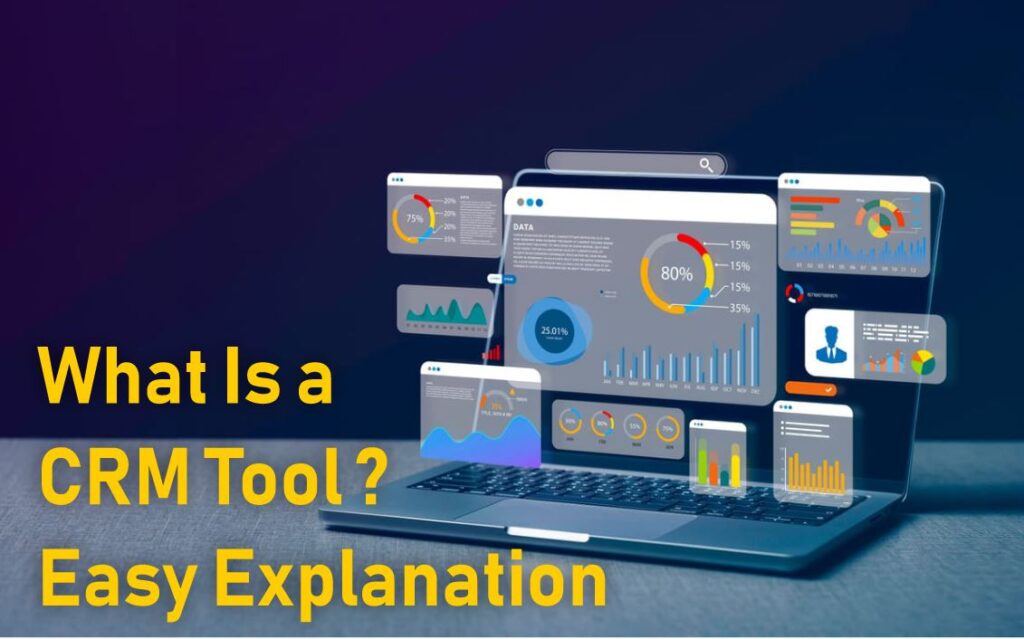
Instead of guessing, your team can log into one CRM dashboard and instantly see:
- Who your customers are
- Where they are in the sales process
- What needs follow-up today
- Which deals are most likely to close
Big companies rely on CRM & sales tools to manage thousands of customers at once. But today, even solo creators, freelancers, and tiny teams can use simple CRM tools to stay organized and sell more consistently.
Why Businesses Use CRM & Sales Tools Instead of Spreadsheets
You might be wondering: “Why bother with a CRM tool at all? Can’t I just keep using my spreadsheet?”
Spreadsheets are fine until:
- You have too many leads to remember
- More than one person needs access to the same info
- You start doing email campaigns, calls, and follow-ups at scale
- You want to see a pipeline view of all deals, not just a flat list
A CRM turns messy data into a visual, action-oriented system.
With a CRM you can:
- See who needs a follow-up today
- View every email and note for a contact without hunting
- Quickly filter “all leads from last month” or “all deals worth over $1,000”
- Watch your sales pipeline stage by stage, from “New Lead” to “Won”
That’s why CRM software has become a standard tool worldwide for sales, marketing, and support teams.
How a CRM Tool Actually Works (Step-by-Step View)
At a high level, CRM software tools do four big jobs for you: capture, store, organize, and act on your customer data.
1. Capturing Customer Data
A CRM collects information from:
- Website forms (“Get a demo”, “Download a guide”)
- Newsletter signups
- Incoming emails and chat messages
- Manual entries from calls or in-person meetings
- Imports from spreadsheets or other apps
Instead of each source living separately, everything flows into one place: your CRM.
2. Storing and Centralizing It
Once a contact is in the CRM, the tool stores:
- Basic details (name, email, phone, company)
- Lead source (e.g., webinar, ad, referral, social media)
- Tags or segments (e.g., “hot lead”, “VIP customer”, “trial user”)
- History: calls, emails, notes, tasks, meetings
- Deals and opportunities linked to that person or company
This becomes your single source of truth for customer information.
3. Organizing Your Pipeline
Most CRMs include a pipeline view — usually a Kanban-style board with columns like:
- New Lead
- Contacted
- Qualified
- Proposal Sent
- Negotiation
- Won / Lost
Each card on the board is a deal. You drag and drop deals between stages as they move forward. This visual overview helps you and your team see revenue at each stage and where deals are getting stuck.
4. Helping You Take Action
A CRM tool doesn’t just store data — it nudges you to take action:
- Set reminders and follow-up tasks
- Log calls and meeting notes directly under a contact
- Send one-to-one or bulk emails
- Automate small tasks like “send a welcome email when a lead is added”
- Generate reports showing sales performance and activities
Over time, this turns random sales efforts into a predictable system.

Key Features You’ll Find in Most CRM Tools
While every platform is different, most CRM & sales tools share a common set of features. Understanding these makes it easier to compare options later.
Contact & Company Management
This is the core of any CRM tool:
- Store contact info and company profiles
- Add notes from conversations
- See a timeline of every interaction
- Group contacts with tags or custom fields
Deal & Pipeline Management
Your CRM pipeline shows the journey from lead to customer:
- Create separate pipelines (e.g., “New Business” vs “Renewals”)
- Move deals between stages as progress is made
- Assign expected values and close dates
- Forecast revenue based on your pipeline
Task & Activity Tracking
CRMs help you keep promises to your leads and customers:
- Schedule follow-ups, calls, and meetings
- Get daily task lists like “Call John”, “Email Sarah”, “Send proposal to Alex”
- Log completed tasks to track activity over time
Email Integration & Templates
Many CRM tools connect directly with your email service:
- View email history inside the contact record
- Use templates for common messages (follow-ups, check-ins, reminders)
- Track opens and clicks on outreach emails
Basic Automation
Modern CRM software tools often include simple automation, like:
- Auto-assigning new leads to specific team members
- Sending welcome emails when a form is submitted
- Updating fields when a deal hits a certain stage
For deeper automation (like complex workflows), some CRMs integrate with automation platforms and marketing tools.
Real-Life Use Cases: How Different People Use a CRM Tool
Small Business Owner
A local agency or online business might use a CRM to:
- Capture leads from website forms and social media
- Track who requested quotes and who accepted
- Remember renewal dates for services
- Follow up on unpaid invoices or proposals
Solo Freelancer
A freelancer offering design, writing, or consulting can:
- Keep track of all past and current clients
- Save notes about preferences, previous projects, and pricing
- See which prospects haven’t replied yet
- Plan follow-up sequences to keep the pipeline full
Online Course Creator or Coach
If you sell digital products or coaching:
- Use a CRM to manage leads from webinars, landing pages, and email lists
- Track where each lead came from and what they bought
- Tag people interested in specific topics or programs
- Plan launches using a clear view of your warmest subscribers
Growing Sales Team
As soon as you have more than one salesperson, a CRM becomes essential. A team can:
- Avoid stepping on each other’s toes with shared records
- See which leads are assigned to whom
- Use standard stages so management can forecast sales
- Share notes and strategies on high-value accounts

Beginner’s Step-by-Step Guide to Getting Started with a CRM
You don’t need to be “techy” to start using a CRM tool. Here’s a simple sequence you can follow.
Step 1: Decide What You Want the CRM to Do First
Ask yourself:
- Do I mainly want better organization?
- Do I want to track sales and deals?
- Do I want to send and track emails from one place?
Pick one primary goal. That will guide your setup and prevent overwhelm.
Step 2: Choose a Simple CRM Tool
For beginners, look for:
- A clean, simple interface
- Basic contact, company, and deal tracking
- Email integration with Gmail or Outlook
- Free or low-cost plan to get started
You can compare “what is CRM” guides from reputable platforms like Zoho or HubSpot to understand common features and see which layout you prefer.
Step 3: Import Existing Contacts
Gather data from:
- Spreadsheets
- Email address books
- Past clients you’ve written down elsewhere
Clean your list before importing:
- Remove obvious duplicates
- Check for outdated or incorrect emails
- Add tags like “Past Client”, “Lead”, “Partner”, “Cold”, etc.
Step 4: Set Up a Simple Sales Pipeline
For many small businesses, a basic pipeline might be:
- New Lead
- Contacted
- Qualified
- Proposal Sent
- Negotiation
- Won / Lost
Don’t overcomplicate this on day one. You can refine stages later.
Step 5: Create Basic Tasks and Follow-Ups
When you add or import leads, immediately create a next step:
- “Call Sarah – Tuesday”
- “Send pricing to Mark”
- “Follow up in 7 days if no response”
The strength of a CRM tool is that you’ll always know what to do next, instead of letting leads go cold.
Step 6: Check Your CRM Daily
Make it a habit:
- Open your CRM at the start of each workday
- Work through your tasks and update deal stages
- Add notes after calls and meetings
This rhythm turns your CRM into a living part of your business, not just a static database.
Common Mistakes People Make With CRM & How to Avoid Them
Even the best CRM tool can’t fix everything if it’s used badly. Here are frequent pitfalls and how you can avoid them.
Mistake 1: Treating the CRM Like a One-Time Setup
Many people set up a CRM once and then forget about it. Over time, data becomes outdated, duplicates pile up, and no one trusts the system.
Fix:
- Review contacts regularly
- Archive or mark inactive leads
- Clean up data every month or quarter
Mistake 2: Over-Customizing Too Soon
CRMs often offer custom fields, tags, multiple pipelines, complex automations…and endless rabbit holes.
Fix:
- Start with the default setup
- Only add custom fields when you truly need them
- Keep your pipeline stages simple
Mistake 3: Not Logging Activities
If calls, meetings, and emails aren’t recorded, you lose the whole point of having a CRM.
Fix:
- After each interaction, add a quick note (“Called, asked about pricing, follow up next week”)
- Turn on email logging or tracking if your CRM supports it
Mistake 4: Using the CRM Only as an Address Book
A CRM is more than a fancy Rolodex.
Fix:
- Use tasks and reminders
- Move deals through stages
- Run simple reports (e.g., “deals won last month”, “top lead sources”)
Mistake 5: Expecting Instant Results
A CRM tool makes your workflow more organized and consistent, but it won’t magically generate leads or close deals overnight.
Fix:
- See the CRM as a long-term system
- Combine it with solid marketing, outreach, and follow-ups
Advanced Insights: When to Upgrade Your CRM Setup
Once you’re comfortable with the basics, you can explore more advanced CRM & sales tools features.
Automation Workflows
You might start to:
- Automatically send a welcome email series when someone becomes a new lead
- Create tasks when a deal moves to a certain stage
- Use lead scoring to prioritize who to contact first
Integration With Other Software Tools
CRMs often connect to:
- Email marketing platforms
- Calendar tools
- Payment processors
- Help desk or live chat tools
This means your CRM dashboard can eventually show the full journey from first website visit to repeat purchase and support requests.
Deeper Reporting & Forecasting
As your data grows, you can:
- See which channels bring your best leads
- Understand average time from lead to sale
- Forecast future revenue based on your pipeline
Educational resources like CRM guides from Salesforce or Investopedia can deepen your understanding of how larger companies use CRM strategy and software together.
When a CRM Tool Is Not the Right Focus
Even though CRMs are powerful, they’re not always the first thing you should set up. It might be too early to invest heavily in a CRM if:
- You’re still figuring out what you’re selling
- You have almost no leads yet
- You don’t have any consistent marketing or sales activity
In that case, start by:
- Clarifying your offer
- Building one or two lead sources (content, outreach, partnerships)
- Only then organizing those leads with a simple CRM
Conclusion: Turning Customer Chaos into a Clear System
At its core, a CRM tool is about building better relationships at scale.
Instead of losing track of people in inboxes and notes, a CRM gives you:
- One organized place for every contact and conversation
- A visual pipeline that shows where your deals stand
- Daily tasks and reminders so you always know what to do next
You don’t have to be a big company or a tech expert. Even a small business, freelancer, or solo creator can use CRM & sales tools to stay more consistent, confident, and professional.
Start simple: pick a beginner-friendly CRM, import your contacts, set up a basic pipeline, and make it a habit to update it daily. Over time, you’ll see your sales process become clearer, follow-ups more consistent, and customer relationships stronger.
Frequently Asked Questions
No. While CRMs used to be associated with large corporations, many tools now target small businesses, freelancers, and online creators. Even if you only handle a few dozen leads a month, a basic CRM can help you stay organized and avoid missed opportunities.
Most modern CRM tools are built for non-technical users. If you can use email and spreadsheets, you can learn to use a CRM. Start with the simplest features—contacts, deals, and tasks—before moving into automation or complex reports.
An email marketing tool is focused on sending bulk emails and newsletters to lists. A CRM tool stores richer relationship data: individual conversations, deals, notes, and tasks. Many businesses use both and sometimes integrate them so contact data and email campaigns work together.
If your freelance work involves managing multiple clients, leads, and follow-ups, a CRM can be a game changer. It helps you track who you pitched, who responded, and what you agreed to—without digging through old emails.
Consider: how many contacts you manage, whether you have a team or work solo, your need for email integration and basic automation, and your budget and growth plans. Try 1–2 free plans, play with sample data, and see which layout feels most natural to you. Over time, you can upgrade or switch as your business grows.

Zahid Ali focuses on reviewing AI tools, marketing software, and funnel systems. His reviews break down real-world use cases, setup difficulty, pricing structures, and who each product is best suited for.