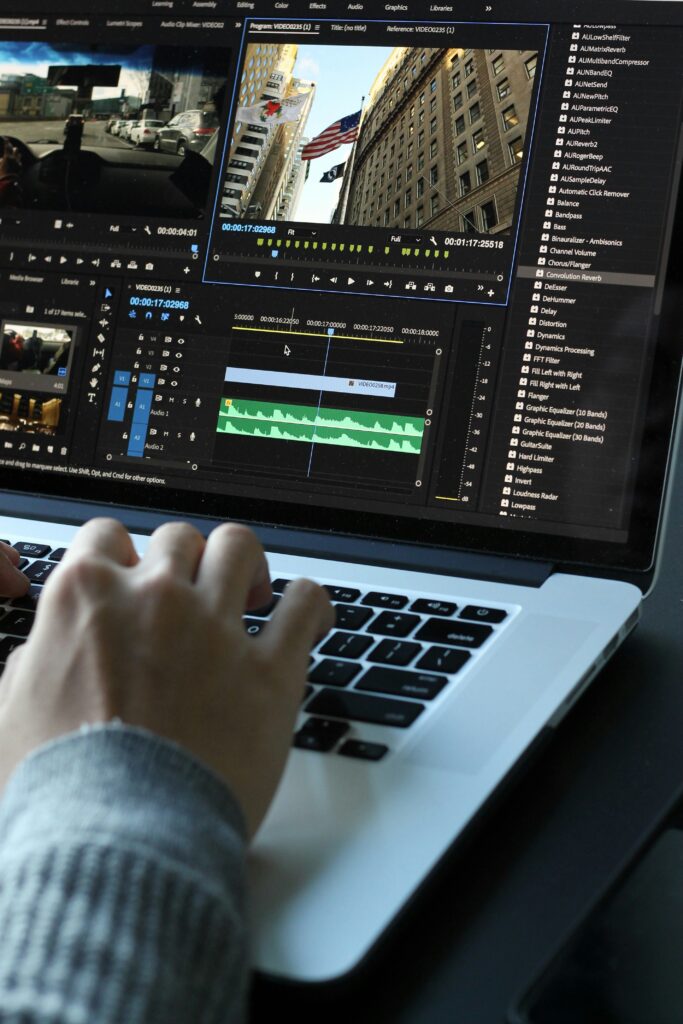
If you’ve ever opened a video editor and felt completely lost by timelines, layers, and endless buttons, you’re not alone. Traditional video editing can feel like a skill reserved for “techy” people or professional editors. But thanks to AI tools, that’s no longer true.
Today, AI video creation tools can help you turn simple scripts, blog posts, or ideas into full videos—even if you’ve never edited before. Instead of wrestling with complex software, you guide the AI with clear instructions, and it handles most of the technical work for you.
In this guide, you’ll learn how AI helps you create videos without editing skills, what’s happening behind the scenes, and how you can use these tools to grow your content, brand, or online income.
What Does “Creating Videos with AI” Really Mean?
When we say AI helps you create videos without editing skills, we don’t mean “press one button and become a Hollywood director.” Instead, it means:
- You focus on ideas, scripts, and messages
- The AI handles most of the editing and assembly
In practice, that looks like:
- You write or paste a script
- You choose a style or template
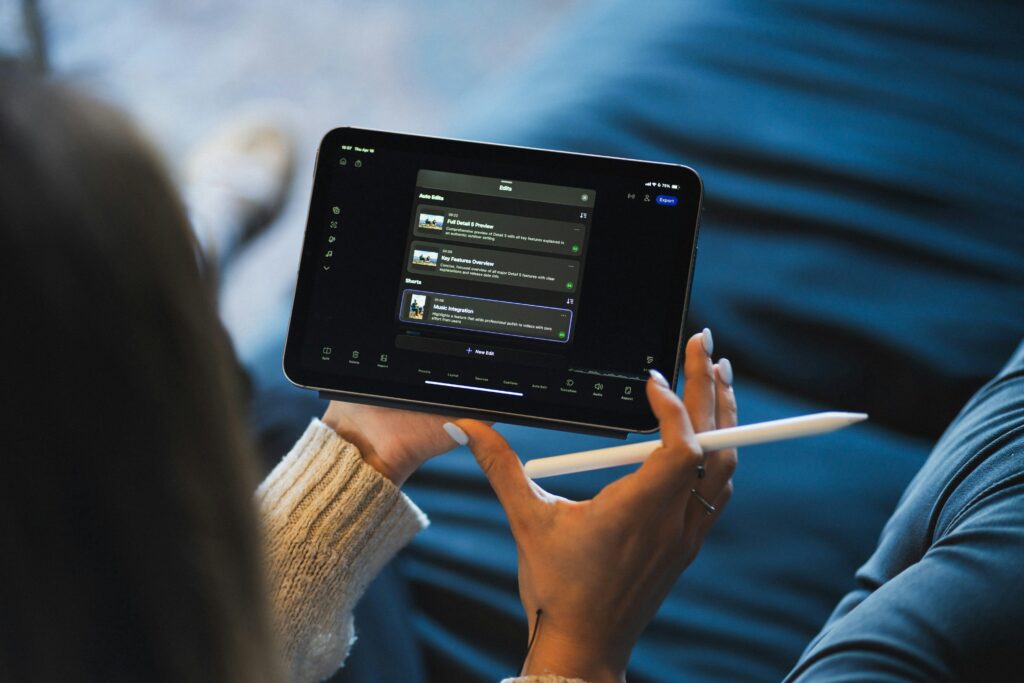
- The AI automatically adds visuals, text, voice, and transitions
- You make small tweaks and export the final video
You’re still the creator, but you’re not stuck doing every tiny edit manually. This is where modern AI tools shine.

How AI Video Creation Tools Work (Without You Being an Editor)
To understand how AI helps you create videos without editing skills, it helps to see the process step by step. Most AI video creation tools follow a similar pattern.
1. You Provide Simple Input (Not Complex Timelines)
Instead of dragging clips into a timeline, you usually start by providing:
- A text script or bullet points
- A blog post or article link
- A voice recording or audio file
- A few images or short clips (optional)
The important part is the message, not your editing ability. If you can write a basic explanation or outline, you already have the raw material for a video.
2. AI Understands and Splits Your Content into Scenes
Using Natural Language Processing (NLP), the AI:
- Identifies key sections in your text
- Splits your script into scenes or segments
- Detects elements like headings, steps, or lists
- Figures out the structure of your message
Instead of you manually cutting and rearranging clips, the AI does the scene breakdown based on the meaning of your content.
3. AI Picks or Generates Visuals for You
Next, the tool searches or generates visual elements to match each scene:
- Stock footage for general topics (offices, computers, people talking, etc.)
- Icons, shapes, and simple graphics for abstract ideas
- Text-based slides for key points
- Screen captures or uploads, if you provide them
You don’t have to dig through folders or know where to find royalty-free clips. The AI suggests visuals, and you simply accept, replace, or tweak them.
4. AI Handles Timing, Layout, and Transitions
Traditional editing means hours spent:
- Trimming clips
- Adjusting transitions
- Moving text around
- Re-timing scenes
AI video tools automate most of this. They:
- Set scene durations based on your script
- Apply transitions between segments
- Position text and elements where they’re easy to read
- Add animations (like fades or slide-ins) without you needing to keyframe anything
This is a huge part of how AI helps you create videos without editing skills—the “mechanical” work is handled for you.
5. AI Adds Voiceovers and Subtitles with a Few Clicks
You typically have two options:
- Record your own voice and upload it
- Use an AI-generated voice to read your script
The tool then:
- Syncs your script with the voice
- Breaks lines into caption-ready segments
- Generates subtitles automatically
You don’t need to manually type captions or line them up with the audio. You just check for accuracy and adjust anything that feels off.
6. You Give Feedback and Export
Finally, you:
- Watch the draft
- Swap any visuals that don’t fit
- Shorten or lengthen scenes if needed
- Fix small text issues
Once it looks good, you export in the format you want (MP4, 16:9, 9:16, etc.). The entire process is more like reviewing and guiding than “editing” in the old sense.
Key Benefits: How AI Actually Helps Non-Editors
Let’s look at the specific advantages you gain when you let AI handle most of the editing.
You Save a Huge Amount of Time
Even simple videos used to take:
- 2–4 hours to edit if you’re a beginner
- Longer if you get stuck trying to learn the software
With AI video creation tools, you can often go from idea to published video in one focused session. You spend more time thinking about what you want to say, and less time learning buttons.
You Don’t Need to Learn Complex Software
Traditional editing tools can feel like a cockpit full of unlabeled switches. AI video tools are:
- Guided by simple steps
- Often template-based
- Built for non-technical users
You click through a process: script → style → scenes → voice → export. You don’t have to worry about:
- Frame rates
- Codecs
- Timeline tracks
- Manual audio syncing
The AI abstracts away that complexity.
Your Videos Look More Professional Than DIY Attempts
If you’ve ever tried to edit video with no experience, you know how easy it is to end up with:
- Awkward cuts
- Unbalanced audio
- Messy text formatting
AI tools use tested templates and best practices so your videos have:
- Consistent fonts and colours
- Smooth transitions
- Clean layouts
- Properly timed text and scenes
This gives your content a more polished feel, even if you’re a beginner.
You Can Repurpose Existing Content Quickly
One of the smartest ways to use AI is to turn what you already have into new formats. For example:
- Take a blog post → turn it into a video summary
- Take a newsletter → turn it into a short video explainer
- Take key points from a course → turn them into promo clips
You don’t start from a blank page. AI helps you “translate” between text-based content and video without manual editing.
You Gain Confidence to Publish More Often
When editing feels slow and painful, you’re less likely to create consistently. Once you see how AI tools help you create videos without editing skills, it feels much easier to:
- Test new ideas
- Publish more frequently
- Show up on video-focused platforms
Confidence comes from doing the reps, and AI makes those reps much easier.
Practical Use Cases: Where AI Video Tools Fit in Real Life
Here are some realistic scenarios where these tools shine.
1. Explainer Videos for Your Blog or Website
If you already write about AI tools, software tools, or make-money-online strategies, you can:
- Turn your written explanations into short explainer videos
- Embed those videos in your blog posts
- Share the same video on social media and video platforms
AI handles visuals and editing; you focus on clear explanations.
2. Tutorials Without Heavy Editing
Maybe you teach people:
- How to use specific software
- How to navigate dashboards
- How to complete online processes
You can:
- Record your screen (even with basic screen recording tools)
- Write a short script or voiceover
- Use AI to add intros, outros, titles, highlights, and captions
You don’t need to chop clips manually—AI helps structure everything.
3. Promo Clips and Social Content
AI tools can help you quickly generate:
- Short promo videos for new content or offers
- Simple, captioned social videos summarizing a blog post
- “Tip of the day” or “Did you know?” clips for your niche
Because you’re not stuck editing, you can create multiple variations and see which style resonates best.
4. Course Lessons and Mini-Trainings
If you’re building online courses or paid trainings, you can:
- Write lesson scripts
- Use AI to turn them into clean lecture-style videos
- Sprinkle in your own voice, screen recordings, and examples
You get course-ready content without becoming a professional editor.
Step-by-Step Beginner Guide: Use AI to Create Your First Video
Let’s walk through a simple, actionable plan.
Step 1: Choose a Very Specific Topic
Good examples:
- “What is a screen recorder?”
- “How AI helps beginners write faster”
- “3 simple ways to use AI video tools as a freelancer”
Avoid trying to cover too much at once. A focused topic makes scripting and video generation much easier.
Step 2: Write a Tight, Simple Script
Aim for 400–700 words to start. Use this structure:
- Hook: Name the problem or question
- Definition: What are you talking about?
- Why it matters: 2–3 benefits
- How it works: Simple explanation
- Next step: What viewers should do after watching
Use simple language. If you’re not sure, imagine you’re explaining it to a friend who is smart but not technical.
Step 3: Pick an AI Video Creation Tool
Look for features like:
- Script-to-video or text-to-video
- Built-in templates and themes
- AI voice options
- Automatic captions
It doesn’t have to be perfect. Pick one, learn its flow, and you can always switch later.
Step 4: Paste Your Script and Choose a Style
Inside the tool:
- Paste your script into the input box
- Choose a template that feels close to your brand (minimal tech, friendly, bold, etc.)
- Set your aspect ratio based on where you’ll post (16:9 for YouTube, 9:16 for shorts/reels)
Let the AI build a draft video for you.
Step 5: Review and Adjust Scenes (Without Editing Skills)
Watch the draft and ask:
- Does each visual match what I’m saying?
- Is there too much text on screen at once?
- Do any scenes feel too long or too short?
Adjust by:
- Swapping out visuals you don’t like
- Shortening or lengthening certain scenes
- Simplifying text so it’s easier to read
You’re still not using a traditional editor—you’re using intuitive controls and sliders.
Step 6: Add or Refine Voice and Captions
If you use an AI voice:
- Choose a voice that matches your topic (calm for education, energetic for promos)
- Adjust the speed to something you’d be comfortable listening to
If you use your own voice:
- Record in a quiet room
- Speak clearly and slightly slower than normal conversation
Then double-check captions for accuracy and readability.
Step 7: Export and Publish
Export the final video and upload it:
- As a standalone video on a platform
- Embedded inside a blog post
- Reposted across your social channels
Don’t wait for “perfect.” The goal is to get experience with the full idea → script → AI video → published loop.
Real-Life Examples: AI Helping Non-Editors Succeed
Example 1: Blogger Turning Articles into Videos
A blogger who writes about software tools:
- Uses an AI writing tool to refine scripts
- Uses AI video creation tools to turn key posts into videos
- Embeds the videos into posts and uploads them to a video platform
Result: more content formats from the same ideas, without learning advanced editing.
Example 2: Freelancer Offering AI-Powered Video Services
A freelancer who doesn’t want to be a “full editor”:
- Offers clients simple explainer videos using AI
- Uses templates and AI voices to keep production fast
- Charges for the service while AI handles the technical work
They position themselves as someone who can turn ideas into video, not an expert timeline editor.
Example 3: Coach or Consultant Sharing Tips on Social
A coach or consultant:
- Writes short scripts with daily tips
- Uses AI to generate vertical videos with captions
- Posts them consistently as reels/shorts to grow visibility
They never touch a traditional editor. They stay focused on expertise and ideas.
Tips for Beginners Using AI to Create Videos
- Think “simple and clear,” not “fancy and complicated.”
- Let AI do the first draft. You don’t have to get everything right in one go.
- Use the same style and template repeatedly to build recognition.
- Always watch your video once as a viewer before publishing.
- Batch your work: write several scripts, then generate and refine videos in one session.
Common Mistakes to Avoid
Relying on AI Without Any Personal Touch
AI is powerful, but if you never edit the script or visuals, your content can feel generic. Always:
- Add your own examples
- Use your own phrases
- Adjust pacing to your voice and audience
Putting Long Paragraphs On-Screen
Walls of text are hard to read in video form. Better:
- One key idea per line
- Short sentences
- Bullets for lists
Let the spoken words carry the full explanation.
Ignoring Platform Differences
Don’t post a horizontal video with tiny text as a vertical short and expect great results. Use the right format for:
- YouTube → mostly horizontal (16:9)
- Shorts/Reels/TikTok → vertical (9:16)
Take advantage of AI tools that support multiple aspect ratios.
Overcomplicating Your First Attempts
Your first videos don’t need motion graphics, advanced animations, or complex multi-camera layouts. Start with:
- Text + simple visuals
- Clear structure
- Solid audio
You can add complexity later.
Forgetting About Your Audience’s Needs
AI can generate videos quickly, but they still have to solve a problem or answer a question. Make sure you:
- Start with real questions your audience asks
- Keep your explanations specific and actionable
- End with a clear suggestion for what to do next
Advanced Insights: Turning AI-Assisted Videos into a Growth System
Once you’re comfortable, you can build a repeatable system:
- Research: Use AI tools to find topic ideas and keywords.
- Script: Draft outlines and scripts with AI assistance.
- Video: Use AI video creation tools to turn scripts into content.
- Repurpose: Clip longer videos into shorts and social snippets.
- Monetize: Use videos to drive people to offers, email lists, or services.
AI doesn’t just save you time—it lets you build more leverage from each idea you create.
Conclusion
You don’t need to be a professional editor to create solid, engaging videos anymore. Thanks to AI video creation tools, you can:
- Turn simple scripts into polished videos
- Skip the complex software learning curve
- Repurpose your existing content into new formats
- Show up consistently on video platforms without burning out
That’s how AI helps you create videos without editing skills: it handles the technical work so you can focus on ideas, clarity, and value. If you’re willing to write basic scripts and review AI-generated drafts, you’re much closer to being a video creator than you might think.
(Internal link → /ai-video-creation-tools/how-ai-helps-you-create-videos-without-editing-skills/)
Frequently Asked Questions
Yes. While advanced editing skills are still useful in some cases, AI video creation tools are designed so beginners can create clean, watchable videos using simple inputs like scripts and templates.
No. You can make entire videos using stock footage, text overlays, simple graphics and icons, and screen recordings. Some tools even offer AI avatars that can appear on screen for you.
Modern AI voices are surprisingly natural, especially for short explainer videos. If you prefer, you can always record your own voice and still use AI for visuals and editing.
For beginners, aim for 3–5 minutes. It’s long enough to explain something useful but short enough that the process doesn’t feel overwhelming.
Yes—indirectly. AI tools help you create more content, offer simple video services to clients, build courses or training materials, and promote offers more effectively. The money comes from value you provide, while AI helps you deliver that value faster.