
If you’ve ever felt like your online work is scattered across tools, tabs, and random to-do lists, you’re not alone. One day you’re drafting blog posts, the next you’re editing video, answering emails, saving files in odd folders—and it all feels a bit chaotic. That’s where the idea of a digital workflow comes in.
Instead of treating every task as a one-off, a digital workflow helps you turn your work into clear, repeatable steps that your tools can support or even automate. It’s how creators, freelancers, and online business owners move from “I’m constantly putting out fires” to “I know exactly what happens next.”
In this guide, we’ll break down what a digital workflow is, how it works in everyday online work, and how you can design your own simple workflows—even if you’re not “systems-minded” or super technical.
What Is a Digital Workflow?
A digital workflow is a clearly defined series of steps that you follow to complete a specific task or process using digital tools.
In simple terms:
A digital workflow is “how work moves from start to finish” in your online tools.
Instead of doing things in a random order every time, you:
- Define the steps
- Decide who or what (which tool) handles each step
- Use software to track, automate, or streamline those steps
This can apply to almost anything you do online, for example:
- Writing and publishing blog posts
- Creating and uploading YouTube videos
- Onboarding new clients or customers
- Sending email campaigns and automations
- Managing your content calendar and tasks
The goal of a digital workflow isn’t to make your work rigid. It’s to make it repeatable, predictable, and easier to manage, especially as your projects and business grow.
How a Digital Workflow Actually Works
So, what is a digital workflow in practice? Let’s break it down into simple building blocks.
1. You Define the Start and End
Every digital workflow has:
- A starting point (trigger)
- A finishing point (goal or outcome)
For example, in a blog-publishing workflow:
- Start: You decide on a new article topic.
- End: The post is published, shared, and added to your internal tracking sheet.
In an email sequence workflow:
- Start: Someone signs up for your newsletter.
- End: They complete a 5-email welcome series and get tagged appropriately in your email marketing software.
2. You Map the Key Steps in the Middle
Between the start and the end, you list the key steps. For example, a digital workflow for a blog post might include:
- Keyword research
- Outline creation
- Drafting the article
- Editing and formatting
- Adding internal links and SEO details
- Uploading to WordPress
- Scheduling the post
- Sharing to social media and email
These steps don’t live in your head; they’re written down somewhere—inside a project management tool, a checklist, or a template.
3. You Choose Tools to Support Each Step
Because this is a digital workflow, your tools play a big role. You might use:
- Project management software (Trello, Asana, Notion, ClickUp, etc.) to track steps
- Writing tools and AI tools to help outline and draft
- Graphic or design software to create images and thumbnails
- Email marketing software to notify your audience when content goes live
Each step in your workflow connects to one or more tools that help you finish it faster and more consistently.
4. You Add Automation Where It Makes Sense
Once you know your steps, you can ask:
- “What do I do over and over again?”
- “Which of these tasks could a tool do automatically?”
Examples of automation inside a digital workflow:
- Automatically moving a task from “Drafting” to “Editing” when a status changes
- Automatically sending a “Thank you for subscribing” email when someone joins your list
- Automatically backing up files to cloud storage
- Automatically tagging subscribers when they click specific links
This is where email marketing software, integrations, and automation tools really shine. Automations don’t replace your entire workflow; they support it and save time.
Key Features and Benefits of a Digital Workflow
A well-designed digital workflow has a few core characteristics that make your life easier.
1. Clarity
Instead of trying to remember what to do every time, the workflow:
- Shows you the steps
- Keeps your projects organized
- Reduces mental clutter and “where was I?” moments
When you open your project or task tool, you know exactly what needs to happen next.
2. Consistency
With a good workflow, your process becomes consistent:
- Every blog post goes through the same quality checks
- Every client receives the same onboarding emails and forms
- Every piece of content gets properly formatted and tagged
This not only improves quality—it makes it easier to scale and delegate.
3. Time Savings
Once your workflow is set:
- You make fewer decisions each day
- You reduce context-switching
- You can automate repetitive actions
Even simple automations (like sending standard emails or moving tasks between stages) can save hours every month.
4. Better Collaboration
If you work with a VA, editor, designer, or team:
- A digital workflow shows who does what and when
- Hand-offs become smoother
- Fewer things slip through the cracks
You’re no longer relying on “random DMs and memory” to run your business.
5. Scalability
As your audience, content, and offers grow, a digital workflow makes it easier to:
- Add more content without chaos
- Onboard more clients or customers without burning out
- Launch consistent campaigns and promotions
A messy process breaks when you scale; a solid workflow grows with you.
Practical Use Cases for Digital Workflows
Let’s go through some real-world examples where a digital workflow makes a big difference.
1. Blog Post Creation Workflow
For a content-heavy site like TopReviewsPrint, a typical blog workflow could be:
- Topic idea added to content board
- Keyword research + SEO angle
- Outline created (with help from AI tools if you like)
- Draft written
- Edit + formatting + internal links
- Final SEO tweaks (meta title, description, alt text)
- Publish and schedule
- Share to email list and social channels
2. YouTube Video Production Workflow
A creator workflow might look like:
- Video idea added to content tracker
- Script or bullet outline created
- Screen recording or camera recording
- Editing and adding B-roll or overlays
- Thumbnail design
- Upload, title, description, tags, affiliate links
- Schedule and promote in email + social
Once this is mapped out digitally, each new video feels less chaotic.
3. Affiliate Campaign Workflow
If you promote tools and software:
- Select tool or topic to feature
- Research its best use cases and ideal audience
- Create review or “how it works” article
- Add comparison, pros/cons, and honest commentary
- Build email sequence promoting that tool
- Add internal links to relevant articles
- Track clicks and conversions in a simple dashboard
That entire sequence becomes a reusable digital workflow you can follow for each new tool you promote.
4. New Subscriber Email Workflow
A classic email workflow:
- Visitor joins your list via opt-in form
- Email marketing software tags them based on interest
- Automated welcome sequence sends over 5–7 days
- They’re added to your main newsletter after completing the sequence
- Optional: they enter a follow-up series about a specific topic
Once this is built, your “digital workflow” nurtures new subscribers for you automatically.
Step-by-Step Beginner Guide: How to Create a Simple Digital Workflow
You don’t need to build a complex system on day one. Here’s a straightforward way to create your first digital workflow.
Step 1: Pick One Process to Improve
Choose something you do repeatedly, such as:
- Writing blog posts
- Recording tutorial videos
- Publishing newsletters
- Onboarding new clients
Start with just one process so you don’t overwhelm yourself.
Step 2: Brain-Dump All the Steps
On paper or in a notes app, write down every step you currently take. Don’t try to be neat at first—just brain-dump:
- “Think of idea”
- “Do quick keyword check”
- “Open doc and start outline”
- “Write first draft”
- “Add images and links”
- “Upload to WordPress”
- “Schedule post and social share”
This messy list is your raw material.
Step 3: Put Steps in Logical Order
Turn your brain-dump into a clean sequence:
- Idea
- Research
- Outline
- Draft
- Edit
- Format
- Publish
- Promote
Group steps where it makes sense, and remove duplicates or unnecessary micro-tasks.
Step 4: Choose Tools for Each Stage
Decide which tools you’ll use to support each phase. For example:
- Planning: Notion, Trello, ClickUp, or a simple spreadsheet
- Writing: Google Docs + AI tools for outlines and first drafts
- Graphics: Canva or other design software
- Publishing: WordPress or your CMS
- Promotion: Email marketing software + social scheduling tools
(Internal link → /software-tools/)
Write this down so you’re not guessing each time.
Step 5: Build a Simple Template
Create:
- A task template in your project tool (with all steps as subtasks), or
- A checklist you copy for each new project
For example, a “New Blog Post” template with all your steps pre-listed. Every time you start a new article, you duplicate that template instead of starting from scratch.
Step 6: Add Light Automation
Look for 1–2 spots where you can save time, such as:
- When a task is moved to “Editing,” automatically assign it to your editor.
- When an article goes live, trigger a reminder to send it to your email list.
- When someone submits a form, add them to your email sequence automatically.
You don’t need heavy automation yet—just a few helpful shortcuts.
Step 7: Use It for 2–4 Weeks and Adjust
Actually run your next few projects through this new workflow. After a few cycles:
- Remove steps you never use
- Add steps you kept forgetting
- Reorder anything that feels clunky
Your digital workflow gets better and more natural the more you use it.
Examples in Real Life: Digital Workflows in Action
Example 1: Solo Blogger with Limited Time
A solo blogger working nights and weekends:
- Uses Trello to track article ideas, drafts, and published posts
- Has a “New Article” card template with all steps listed
- Uses AI tools to create outlines and rough drafts
- Schedules posts in WordPress and uses an email template to share new content
Result: fewer stalled articles, more consistent publishing, and a clearer picture of what’s in progress.
Example 2: Small YouTube Channel Creator
A YouTube creator:
- Keeps all video ideas in Notion with tags (tutorial, review, AI tools, etc.)
- Uses a workflow: Idea → Script → Record → Edit → Upload → Promote
- Uses templates for descriptions, affiliate links, and social posts
- Has automation that sends new video announcements to their email list
Result: each video follows the same quality process, and promotion doesn’t get forgotten.
Example 3: Affiliate-Focused Review Site
A site reviewing AI and software tools:
- Uses a content workflow for each review:
- Research the tool
- Map out use cases
- Write review with pros/cons and real use examples
- Add screenshots and comparison tables
- Insert affiliate links in logical places
- Add internal links to related articles
- Uses a separate workflow for updating older reviews every few months
Result: more thorough, trustworthy reviews and a stronger long-term SEO presence.
Tips for Beginners Creating Digital Workflows
Start Simple, Then Build
Resist the temptation to create a giant, multi-branch workflow immediately. Better to:
- Nail one simple, sane workflow
- Get comfortable with it
- Add complexity only when you see a clear need
Make It Visual
Use tools that help you see your workflow:
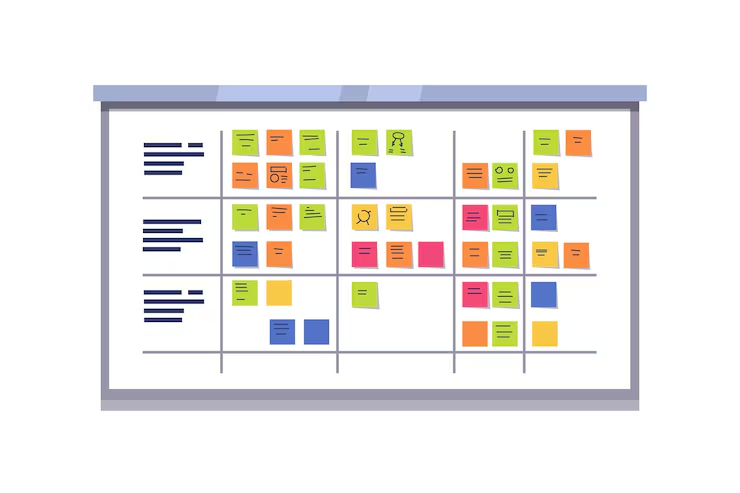
- Kanban boards (columns like “Idea,” “Draft,” “Editing,” “Published”)
- Flowcharts for complex automations
- Checklists for smaller processes
Visual layouts make it easier to understand and improve your system over time.
Document as You Go
Whenever you refine your workflow, update your:
- Templates
- Checklists
- SOPs (Standard Operating Procedures), if you have them
This documentation becomes gold later if you bring on a VA, writer, or editor.
Automate Gradually
Focus on:
- Repetitive admin tasks (tagging, moving tasks, sending standard emails)
- Not the high-judgment creative tasks (you still need to write, review, and decide).
Automate the boring parts, not the work that actually defines your brand.
Common Mistakes to Avoid with Digital Workflows
Overcomplicating Everything
If your digital workflow has 50 steps for a simple blog post, you’re more likely to avoid it entirely. Complexity is the enemy of consistency.
Building a Workflow You Never Actually Use
The fanciest workflow is useless if you don’t use it in real life. Always ask:
- “Will I actually follow this?”
- “Does this make things easier or just more complicated?”
Ignoring the Human Side
Tools and automations are great, but:
- You still need clear communication if you work with others
- You still need time for creative work, thinking, and strategy
- You still need room for flexibility when priorities change
A good digital workflow supports you; it doesn’t trap you.
Never Reviewing or Updating
Workflows can go stale if:
- Your tools change
- Your priorities shift
- Your business model evolves
Set a reminder every few months to review and adjust your main workflows.
Advanced Insights: Connecting Multiple Digital Workflows
Once you’re comfortable, you can connect multiple workflows into a larger digital ecosystem.
For example:
- Content creation workflow → Email promotion workflow → Evergreen automation workflow
- Product launch workflow → Post-launch follow-up workflow → Customer onboarding workflow
At this level, you’re not just managing tasks—you’re designing systems that move people smoothly from discovering you to becoming long-term fans or customers.
Conclusion
A digital workflow is simply a clear, repeatable path that your work follows from start to finish. Instead of reinventing the process every time you publish a post, upload a video, or send an email sequence, you:
- Map the steps
- Choose tools that support those steps
- Add automation where it makes sense
- Improve the workflow over time
The payoff is huge: less chaos, fewer mistakes, more consistency, and more time for the work only you can do—like creating, strategizing, and connecting with your audience.
You don’t have to build a perfect system on day one. Start with a single workflow (like your blog or email process), write down the steps, and turn it into a simple template. As you grow, your digital workflows will grow with you.
Frequently Asked Questions
No. A digital workflow is just as useful for solo creators, freelancers, and small online businesses. In fact, having clear workflows early makes it much easier to scale when you eventually do grow your team.
Not at all. You can start with free or low-cost tools: basic project boards (Trello, Notion, etc.), simple documents or spreadsheets, and free tiers of email marketing or automation tools. The most important part is clarity of steps, not the price of your software.
A to-do list is usually a random mix of tasks. A digital workflow is structured, repeatable, and attached to a specific outcome. You’re not just listing tasks; you’re defining the path work takes from start to finish.
Yes. AI tools are perfect for steps like brainstorming ideas, creating outlines and first drafts, summarizing research, and generating variations of emails, titles, or descriptions. They don’t replace your judgment, but they can speed up parts of your workflow significantly.
Start with one process that you repeat often—like publishing a blog post or sending a newsletter. Write down the steps, choose one tool to organize them, and try following that workflow for the next few weeks. You can refine it as you go, rather than trying to design everything perfectly at the beginning.