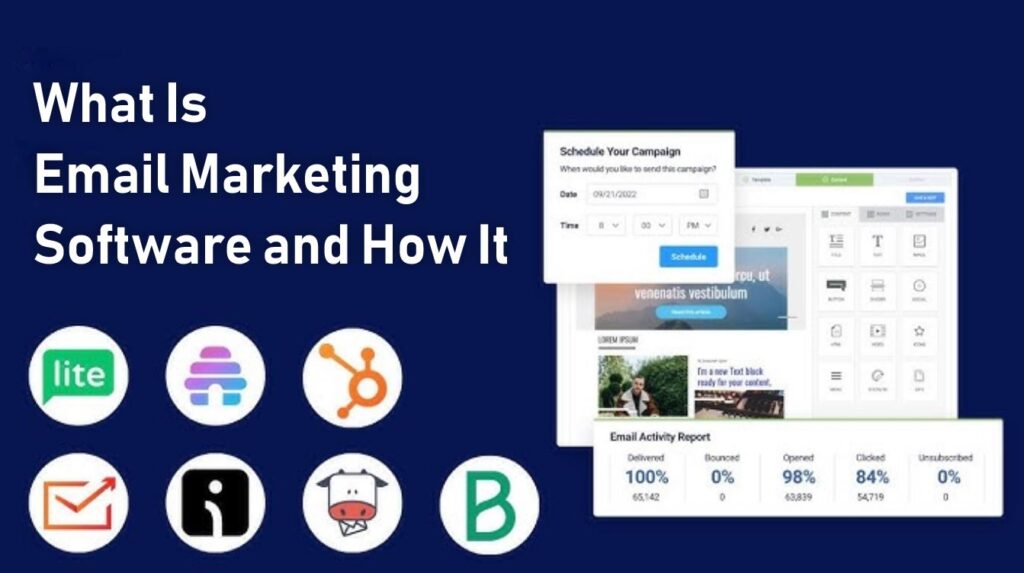
If you’ve ever signed up for a newsletter, downloaded a free guide, or received a “new video is live” email from a creator, you’ve already seen email marketing software in action. Behind every polished email sequence, welcome series, and product launch, there’s usually a tool quietly handling all the sending, tracking, and automation in the background.
But if you’re just getting started with online business, affiliate marketing, or content creation, the whole idea of “email marketing software and how it works” can feel confusing. Is it just a fancy email app? Do you need it if you already have Gmail? How does it actually help you make money online?
This guide breaks everything down in plain, beginner-friendly language so you understand:
- What email marketing software is
- How it works behind the scenes
- The core features that matter for beginners
- Real-life ways creators and businesses use it
- A simple step-by-step setup guide you can follow
- Common mistakes to avoid so you don’t waste time or hurt deliverability
By the end, you’ll know exactly where email marketing software fits in your tech stack, and how to use it as one of your most important software tools for building an audience and making money online.
What Is Email Marketing Software?
Email marketing software is a specialized tool that helps you send bulk emails, manage subscribers, and automate email campaigns in a professional, organized way.
Instead of manually emailing people one by one from your personal inbox, email marketing software lets you:
- Collect email addresses through opt-in forms or landing pages
- Store those subscribers in lists or segments
- Send newsletters, broadcasts, and automated sequences
- Track opens, clicks, and unsubscribes
- Stay compliant with things like unsubscribe links and basic email regulations
A simple way to think about it:
Your regular email (Gmail, Outlook, etc.) is for personal or small business communication.
Email marketing software is for sending targeted, mass messages to an audience or customer base.
It’s one of the most important software tools for creators, marketers, and online business owners because it gives you direct access to people who already said “Yes, I want to hear from you.”
How Email Marketing Software Works (Simple Breakdown)
To understand what email marketing software is and how it works, let’s walk through the basic process step by step—from a stranger visiting your site to becoming an engaged subscriber.
1. Capturing Email Addresses
First, the software helps you collect email addresses in a compliant way. This usually happens through:
- Opt-in forms on your website
- Landing pages offering a free guide, checklist, or training
- Pop-ups, slide-ins, or embedded forms on blog posts
- “Sign up for updates” boxes on reviews or tutorials
When someone types in their name and email and clicks “Subscribe,” the software:
- Adds them to your email list
- Stores their data in your account (name, email, tags, etc.)
- Triggers any automations you’ve set up (like a welcome email)
2. Organizing Subscribers into Lists and Segments
Once subscribers are inside your email marketing software, they’re not just a random pile of emails. You can:
- Group them into lists (e.g., “Main Newsletter,” “AI Tools Interest,” “Video Editing Tools Interest”)
- Use tags or segments to mark what they signed up for or what they clicked
This organization is what allows you to send more relevant emails later. For example:
- Only emailing people interested in AI tools when you publish a new AI tutorial
- Sending a special sequence just to subscribers who clicked on “Make Money Online” content
3. Sending Campaigns and Newsletters
When you’re ready to send an email to your audience, you create a campaign (sometimes called a broadcast or newsletter) inside your email marketing software.
You will:
- Choose your list or segment
- Write your subject line and email content
- Preview and test the email
- Schedule it for a specific date and time or send it immediately
The software then delivers the email to all the selected subscribers and tracks how they interact with it.
4. Automating Sequences and Workflows
Beyond one-off campaigns, email marketing software lets you set up automations, such as:
- A welcome sequence that sends new subscribers 3–7 emails over several days or weeks
- A course onboarding sequence that helps customers use what they purchased
- A nurture series that delivers helpful guides, tips, and tutorials over time
These automations are triggered by actions like:
- Joining a list
- Filling out a specific form
- Clicking a link
- Buying a product
Once set up, automations run in the background, turning your email list into a semi-automated relationship machine.
5. Tracking Performance and Improving
Finally, email marketing software collects data so you can see:
- How many people opened your email (open rate)
- How many clicked a link (click-through rate)
- How many unsubscribed or reported spam
This helps you improve future emails by testing:
- Different subject lines
- Different send times
- Different styles of content or calls-to-action
Over time, you learn what your audience responds to and make smarter decisions about your email marketing strategy.
Key Features and Benefits of Email Marketing Software
There are many email marketing tools, but most share a core set of features that deliver clear benefits for creators, marketers, and online businesses.
Centralized Subscriber Management
You get:
- One place to store all your subscribers
- Tools to filter and search based on behavior and interests
- Simple ways to add, remove, or update subscribers
Benefit: You’re not juggling multiple spreadsheets or trying to remember who signed up from where.
Professional Email Sending and Templates
Most email marketing software provides:
- Drag-and-drop email builders
- Pre-made templates (newsletters, announcements, promos)
- Mobile-friendly designs
Benefit: Your emails look professional and readable on both desktop and mobile, without needing to be a designer.
Automation and Workflows
Automations are a major superpower of email marketing software. You can:
- Automatically send a welcome email
- Deliver a lead magnet (like a PDF or mini-course)
- Follow up with people who showed interest but didn’t buy
Benefit: You build systems, not just single emails. Your list is always moving, even when you’re not at your desk.
Personalization and Segmentation
You can personalize emails by:
- Adding a subscriber’s first name
- Tailoring content based on which links they clicked
- Sending specific recommendations based on past behavior
Benefit: More relevant emails = better engagement and more conversions.
Analytics and Reporting
Most email marketing software shows you:
- Open rates and click rates
- Top-performing emails
- Link performance inside your campaigns
Benefit: You’re not guessing—you can see what’s working and what’s not.
Compliance and Deliverability
Good email marketing tools:
- Automatically add unsubscribe links
- Help you comply with basic email regulations
- Provide tools to warm up your sending reputation over time
Benefit: You’re less likely to end up in spam folders and more likely to stay on the right side of email rules.
Practical Use Cases for Email Marketing Software
To understand what email marketing software is and how it works, it helps to see how people use it in the real world.
Content Creators and Bloggers
Creators use email marketing software to:
- Notify subscribers about new blog posts or videos
- Share weekly roundups of content
- Promote guides, tools, and resources
- Warm up the audience before launching new products or reviews
Affiliate Marketers
Affiliate-focused online businesses use email to:
- Build a list of subscribers interested in specific topics (AI tools, software tools, make money online, etc.)
- Share value-driven emails that include affiliate links naturally
- Segment subscribers based on what they clicked or showed interest in
- Run launch-style campaigns when promoting new offers
Course Creators and Coaches
Email marketing software helps with:
- Delivering a welcome series when someone joins a course
- Sending reminder emails for live calls or sessions
- Sharing bonus lessons, templates, or updates
- Upselling advanced programs or coaching packages
Service Providers and Agencies
Freelancers and agencies use email to:
- Follow up with leads who downloaded a pricing guide or booked a discovery call
- Share case studies, tips, and educational content
- Nurture leads over time until they’re ready to buy
- Announce new services, retainers, or packages
Step-by-Step Beginner Guide: Getting Started with Email Marketing Software
Here’s a simple roadmap you can follow to go from “no email system” to a basic email marketing setup that works.
Step 1: Define Your Goal
Before signing up for anything, decide:
- Why do you want an email list?
- Who do you want on it?
- What kind of content will you send?
Examples:
- “I want to send weekly updates about AI tools and tutorials.”
- “I want to build a list of people who are interested in make money online content.”
- “I want to warm up traffic for future software or course launches.”
Step 2: Choose a Beginner-Friendly Email Marketing Tool
Pick an email marketing software that:
- Has a reasonable free or low-cost plan
- Offers basic automation (welcome emails)
- Is known for ease of use
You don’t need all advanced features on day one; you just need something that lets you:
- Create forms
- Store subscribers
- Send broadcasts and simple sequences
(Internal link → /software-tools/email-marketing-software/)
Step 3: Create Your First Email List and Form
Inside your chosen tool:
- Create a list (e.g., “Main Newsletter” or “TopReviewsPrint Readers”).
- Create a signup form connected to that list.
- Add fields for name (optional) and email (required).
- Customize the text: let people know what they’ll receive and how often.
Then embed that form on:
- Your homepage
- Blog sidebar
- Below articles in your main categories (AI tools, software tools, make money online, etc.)
Step 4: Write a Simple Welcome Email
Your welcome email can:
- Thank them for subscribing
- Re-introduce who you are and what your site is about
- Share 1–3 helpful links (e.g., beginner guides or pillar articles)
- Tell them what kind of emails to expect next
Make it friendly, clear, and focused on value—not just selling.
(Internal link → /guides-tutorials/how-to-guides/)
Step 5: Set Up a Short Automation
Next, set up a small automation:
- Trigger: When someone joins your main list
- Step 1: Send the welcome email immediately
- Step 2: 1–3 follow-up emails over the next few days or week
These follow-up emails might include:
- A beginner-friendly guide on your topic
- A list of your best articles or videos
- A simple call-to-action (join a group, reply with a question, etc.)
Step 6: Plan a Simple Email Schedule
You don’t need to send daily emails, but consistency matters. For example:
- Weekly newsletter: Share your latest content, tools, and tips
- Occasional special email: When you publish a big guide or launch a new project
Start small: even one email per week is enough to stay visible in your subscribers’ inboxes.
Step 7: Review Analytics and Improve
Every few weeks, check:
- Which subject lines got the best open rates
- Which emails had the highest click-through rates
- Which links inside emails got the most clicks
Use that data to:
- Write more of what people respond to
- Improve subject lines
- Remove or adjust content that gets low engagement
Over time, your email marketing becomes less guesswork and more data-informed strategy.

Examples of How Email Marketing Software Helps in Real Life
Example 1: AI Tools Blog or Channel
You run a site focused on AI tools and tutorials. You use email marketing software to:
- Offer a free “AI Tools Starter Checklist” in exchange for emails
- Send a welcome sequence explaining how to choose the right AI tools
- Promote new guides like “What Is an AI Writing Tool?” or “How AI Creates Images From Text”
- Occasionally promote relevant products or training through your list
Example 2: Make Money Online Content
You focus on make money online and side hustles. Your email marketing setup:
- Collects emails from people interested in earning with AI tools, freelancing, or passive income
- Sends them beginner guides and realistic expectations about online income
- Shares case-study-style emails about different methods
- Drives traffic back to your reviews and tutorials, where you may have affiliate links
Example 3: Software Tutorials and Reviews
You publish software tools tutorials, like screen recorders, video editors, or email marketing platforms. You use email marketing software to:
- Share your latest tutorials and “how it works” breakdowns
- Send mini “toolkits” via email that bundle several related posts
- Build trust over time so people rely on your site when choosing tools
Tips for Beginners Using Email Marketing Software
Start Simple, Then Layer on Complexity
You do not need:
- Complex branching automations
- 10 different lists
- Heavy segmentation from day one
Start with:
- One main list
- One opt-in form
- One short welcome sequence
- One regular newsletter schedule
Add advanced features later as you understand your audience better.
Focus on Value First, Promotions Second
A healthy email list is built on trust. Focus on:
- Teaching something useful in each email
- Sharing practical tips, examples, and guides
- Only promoting products or offers when they are truly relevant
Over time, this approach leads to higher engagement and better long-term results.
Clean Your List Occasionally
Inactive subscribers can hurt your stats and deliverability. Every few months, you can:
- Identify subscribers who haven’t opened anything in a long time
- Send a re-engagement email asking if they still want to stay subscribed
- Remove or archive those who never respond
This keeps your list healthier and more responsive.
Common Mistakes to Avoid with Email Marketing Software
Treating It Like a One-Time Setup
Some people set up an email list and then barely send anything. Your list is an asset that grows in value when you stay in touch. Inconsistent emailing can lead to:
- Lower open rates
- People forgetting who you are
- More unsubscribes later
Buying Email Lists or Adding People Without Permission
Never:
- Buy random email lists
- Add people manually from your contacts without their consent
Not only can this damage your sender reputation, but it can also violate email regulations and get your account restricted or banned.
Overcomplicating Automation Too Early
Complex automation maps look cool, but they can be a nightmare for beginners. If you don’t understand what’s happening, you’ll struggle to fix issues when they appear. Start with simple, transparent workflows before branching out.
Ignoring Mobile Experience
A large percentage of people read emails on their phones. If your templates are:
- Hard to read
- Full of tiny text
- Packed with too many images
You’ll lose engagement. Always preview your emails on mobile if your software allows it.
Advanced Insights: Where Email Marketing Fits in Your Online Business
Once you understand what email marketing software is and how it works, you realize it’s not just another app—it’s a central piece of your online business.
- Your content brings people in
- Your email list keeps them around
- Your automations build relationships at scale
- Your offers (affiliate products, tools, courses, services) are promoted ethically through helpful, consistent communication
Email marketing software is the engine that ties traffic, trust, and offers together.
Conclusion
Email marketing software might sound technical at first, but at its core, it’s simply:
A tool that helps you collect email subscribers, send them useful messages, and build automated systems that nurture your audience over time.
You’ve learned:
- What email marketing software is
- How it works behind the scenes
- The main features and benefits
- Real-world use cases for creators, affiliates, and business owners
- A step-by-step setup process you can follow as a beginner
- Common mistakes to avoid and advanced ways to use it
If you’re serious about building an audience, promoting software tools, AI tools, or make money online content, learning how to use email marketing software is one of the best investments of your time. Start simple: one list, one form, one welcome sequence. As your confidence grows, you can layer on more automations, segmentation, and monetization strategies.
Frequently Asked Questions
No. Most modern email marketing software platforms offer visual builders where you can drag and drop triggers, actions, and waits. If you can follow a simple flowchart, you can set up basic automations.
Not completely. Automations are great for predictable flows (welcome sequences, onboarding, reminders), but you’ll still want to send occasional broadcasts, updates, and personal messages. Think of automations as your baseline engine, not your entire communication.
Start with 1–3: a welcome sequence for new subscribers, a lead magnet delivery sequence (if applicable), and a simple onboarding automation for new customers (optional to start). Once those are working well, you can add more specialized automations over time.
While this guide focuses on email marketing software, automations also exist in other software tools—like CRM platforms, project management tools, and integration services (for connecting apps). The core idea—“If this, then that”—applies across your entire tech stack.
Look at how many tasks you no longer do manually, how many subscribers are moving through your sequences each month, and the open/click rates and conversions from automated emails. If hundreds (or thousands) of people are going through your workflows without you lifting a finger, your automations are doing their job.