You don’t need a design agency or a five-figure budget to build a brand that looks like it belongs. Learning how to use free resources for branding is genuinely one of the smartest moves a new business owner can make, because the gap between “looks homemade” and “looks professional” usually comes down to a handful of free tools used consistently, not money spent. Most beginners assume strong branding requires hiring a designer. In reality, the same free resources that startups bootstrap their entire identity with are sitting in plain sight, waiting for someone to actually use them properly.
The challenge isn’t access. It’s knowing which free resources actually move the needle versus which ones just waste your afternoon. This guide walks through exactly how to use free resources for branding step by step, from picking colors that mean something to designing a logo that doesn’t scream “made in five minutes,” so you can build a brand identity that feels intentional from day one.
Why Branding Matters Even Before You Have Money to Spend
Branding isn’t just a logo. It’s the consistent visual and verbal identity that makes someone recognize your business instantly, whether they’re scrolling Instagram or reading an email from you. A weak or inconsistent brand makes even a great product feel unreliable, while a clean, consistent one builds trust before a customer has bought anything at all.
Here’s the part beginners underestimate: early-stage branding decisions tend to stick around for years. The colors you pick now, the fonts you settle on, the tone you write in — these become the visual shorthand people associate with you. Getting this right early, even using free tools, saves you from an expensive rebrand down the line once you’ve built recognition around the wrong look.
Start With a Color Palette That Actually Means Something
Color is the fastest way people register a brand, often before they’ve read a single word. Free color palette generators like Coolors and Adobe Color let you build a cohesive palette in minutes, without any background in design theory. Coolors works almost like a slot machine — hit the spacebar and it spins a fresh five-color scheme, then you lock the ones you like and keep spinning the rest.
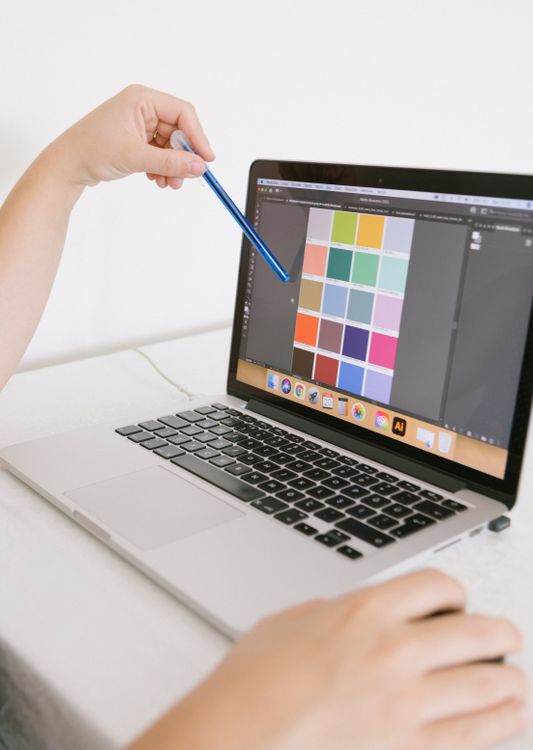
Before you start spinning randomly, though, think about your brand’s personality for a moment. A calm wellness brand and a bold fitness brand shouldn’t share the same palette, even if both look “nice” in isolation. Pick one dominant color that captures your brand’s core feeling, then build two or three supporting colors around it — one for accents like buttons, one neutral for backgrounds and text.
Adobe Color goes a step further by letting you upload an existing image — maybe a product photo or a mood board picture — and extracting a palette directly from its tones. This is particularly useful if you already have a strong visual reference in mind but don’t know how to translate it into usable hex codes. Once you’ve settled on your palette, write the hex codes down somewhere permanent. Consistency only works if you actually reuse the exact same colors everywhere, not “close enough” approximations from memory.
Design a Logo Without Hiring a Designer
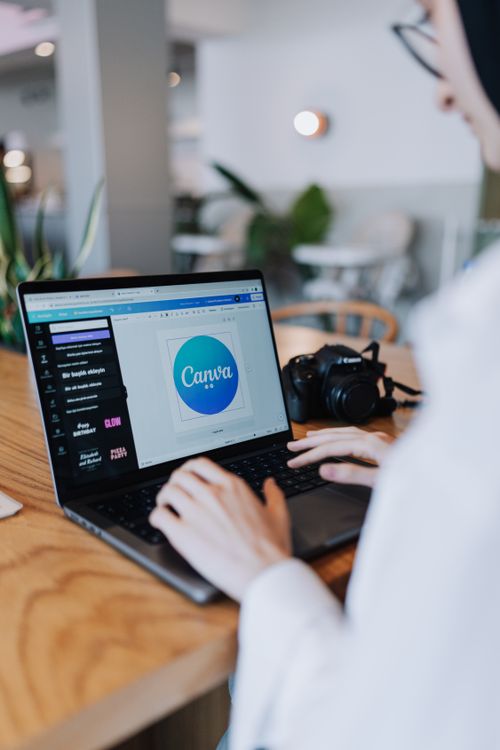
Canva remains the most practical free starting point for logo design. Its logo maker includes thousands of templates organized by industry and style, and you can swap fonts, icons, and colors freely on the free plan. The key to making a Canva logo look custom rather than generic is restraint — pick a simple template, change the colors to your palette, adjust the font to something that matches your brand’s tone, and resist the urge to add extra decorative elements just because they’re available.
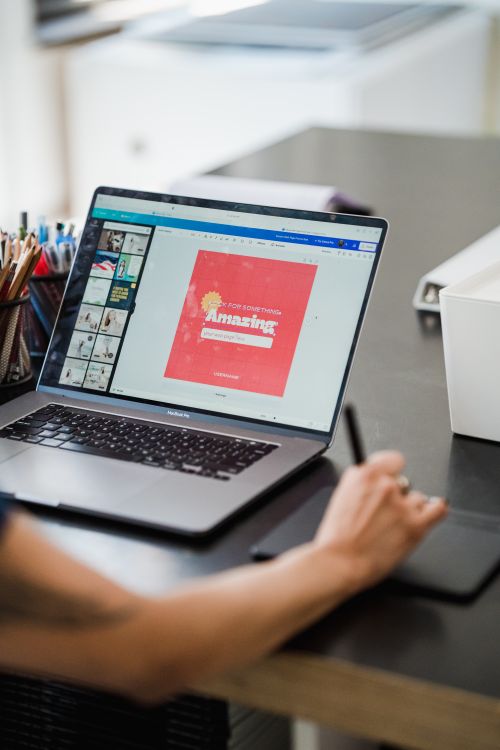
For something a bit more tailored, Looka and Hatchful (built by Shopify) generate logo concepts based on a short questionnaire about your industry and style preference. These tools are particularly good at generating starting points you can then refine further in Canva, since they often produce more original icon combinations than scrolling through static templates yourself.
One habit that separates amateur logos from professional-feeling ones: design your logo in a square format first, then test how it looks cropped into a circle (for social media profile photos) and stretched into a wide banner shape. A lot of free logo designs look great as a square but break down completely once squeezed into a tiny circular avatar. Catching this now saves you from an awkward, illegible logo on every platform you use.
Choose Fonts That Don’t Fight Each Other
Typography is the quiet half of branding that most beginners skip entirely, defaulting to whatever font happened to be selected when they opened a new document. Google Fonts gives you free access to hundreds of professionally designed typefaces, and Canva has most of them built in already, so there’s genuinely no reason to settle for default fonts.
The simplest rule for picking fonts: choose two, not five. One font for headlines that has some personality — maybe a bold serif or a distinctive sans-serif — and one clean, highly readable font for body text. Pairing a decorative display font with a plain, neutral body font almost always looks more intentional than using two fonts with similar weight and style, which tend to blur together and feel accidental rather than designed.
Once you’ve picked your two fonts, write them down alongside your color hex codes. This combination — colors plus fonts — is the foundation of what designers call a basic brand kit, and you now have one without spending anything.
Build Consistency With a Simple Brand Kit in Canva
Canva’s Brand Kit feature, available in a limited form on the free plan, lets you save your chosen colors, fonts, and logo in one place so every new design automatically has access to them. This single feature is arguably the highest-leverage free branding resource available, because it removes the guesswork every single time you create something new. Instead of hunting for your hex codes again, they’re sitting right there in the color picker.
Set this up once, early, before you’ve created dozens of inconsistent graphics that need to be redone later. Every social post, every email header, every flyer pulls from the same small set of colors and fonts, which is exactly what makes a brand feel cohesive rather than scattered. Customers notice this consistency even when they can’t articulate why a brand “feels put together” — it’s because every visual touchpoint reinforces the same identity instead of contradicting it.
Use Free Stock Photography the Right Way
Free stock photo sites like Pexels and Unsplash give you access to high-quality, royalty-free images without attribution requirements, which is a massive advantage for beginners who can’t yet commission custom photography. The mistake most people make is grabbing whatever image looks nice in isolation, without considering whether it fits the mood of their brand.
Pick a consistent visual style and stick with it across every photo you use — same lighting tone (warm versus cool), same level of staging (candid versus posed), same color temperature. Mixing a bright, airy lifestyle photo with a dark, moody product shot on the same page creates visual whiplash, even if both images are individually beautiful. Search using specific, descriptive terms rather than broad ones; “woman laptop morning coffee natural light” returns far more usable, on-brand results than just “business woman.”
Write a Brand Voice Guide (It’s Free and Takes 20 Minutes)
Visual branding gets most of the attention, but brand voice — how you actually sound in captions, emails, and product descriptions — matters just as much for recognition. This costs nothing but a notebook and twenty minutes of thinking. Write down three words that describe how you want to sound: maybe “warm, direct, slightly funny” or “confident, minimal, no fluff.” Then write one sentence in that voice and one sentence in the opposite voice, side by side, so the contrast is obvious to you.
Keep this short document somewhere you’ll actually reference it — a pinned note, a Google Doc title “Brand Voice.” Before writing any caption or email, a quick glance reminds you of the tone you committed to, which prevents the common drift where early posts sound playful and later posts suddenly sound corporate, confusing the audience you’ve been building.
Create Templates So You’re Not Starting From Scratch Every Time
Once your colors, fonts, and logo are locked in, build a handful of reusable Canva templates for the content types you’ll create repeatedly — an Instagram post template, a quote graphic template, an email header template. Design each one once with your brand kit applied, then duplicate and swap content each time you need a new piece, rather than rebuilding the layout from zero.

This single habit is what separates brands that look consistent week after week from ones that look like five different people designed five different posts. It also dramatically cuts down the time you spend on each piece of content, since the layout decisions are already made — you’re just updating text and swapping an image.
- Logo and favicon: One square version, one wide version, one icon-only version for tiny spaces.
- Color palette: 3–5 hex codes saved permanently in your Canva Brand Kit.
- Font pairing: One headline font, one body font, both saved in Canva.
- Photo style: A consistent lighting and mood across every stock image you select.
- Voice guide: Three descriptive words plus one example sentence in that tone.
Common Mistakes That Make Free Branding Look Cheap
Free resources don’t automatically produce cheap-looking results — but careless use of them does. The most common mistake is using too many colors. A brand bouncing between six unrelated colors across different posts looks chaotic regardless of how nice each individual color is. Stick to your locked palette, every time, even when a slightly different shade feels tempting for one specific post.

The second mistake is mismatched stock photography, discussed earlier, and the third is inconsistent logo usage — stretching a logo to fit a space instead of resizing it proportionally, which distorts the shapes and instantly signals an amateur hand. Most design tools, including Canva, let you lock an image’s aspect ratio specifically to prevent this. Use that lock every single time you place your logo anywhere.
How to Use Free Resources for Branding Without It Taking Over Your Week
Branding can become an endless rabbit hole if you let it — there’s always another font to consider, another palette variation to try. Set a hard limit: one weekend, or a few focused evenings, to lock your colors, fonts, and logo. Once decided, treat those choices as settled for at least six months before revisiting them. Indecision costs you more momentum than an imperfect-but-consistent brand identity ever will.
The businesses that look polished early aren’t the ones with the biggest budgets. They’re the ones that made a few firm decisions using free resources for branding, then stayed disciplined about applying those decisions everywhere, every time, without second-guessing each new post.
Frequently Asked Questions
Can I really build a professional-looking brand with zero budget?
Yes, genuinely. The free tiers of Canva, Coolors, Adobe Color, Google Fonts, and Pexels collectively cover every core element of visual branding — logo, colors, typography, and imagery. What separates a polished result from an amateur one isn’t the price of the tools, it’s whether you make a few firm decisions and apply them consistently everywhere instead of changing your look with every new post.
Do I need design experience to use these free branding tools?
No. Tools like Canva and Looka were built specifically for people without design training, using drag-and-drop interfaces and guided questionnaires instead of requiring you to understand design theory. The learning curve is measured in minutes, not weeks. A little patience in the first session goes a long way toward comfortable, confident use afterward.
How many colors should my brand palette actually have?
Most strong brand palettes use three to five colors total: one dominant brand color, one or two supporting colors, and a neutral for text and backgrounds. More than five colors becomes difficult to apply consistently and starts to look scattered rather than intentional, even if each individual color was chosen carefully.
Should I redesign my logo once I can afford a professional designer?
Not necessarily right away. If your free-tool logo is clean, legible at small sizes, and consistent with your color palette, it may serve you well for years. Many recognizable small brands never touch their original logo. Consider a redesign only if your current logo causes real problems — illegible at small sizes, inconsistent with your evolved brand, or genuinely embarrassing to show new customers.
What’s the single highest-impact free branding resource to start with?
Canva’s Brand Kit feature, hands down. Once your colors, fonts, and logo are saved there, every piece of content you create afterward automatically pulls from the same consistent identity. It removes the guesswork that causes most branding inconsistency in the first place, and it takes less than ten minutes to set up.
Your Brand Doesn’t Need a Bigger Budget. It Needs a Decision.
Every recognizable brand you admire started as someone’s first attempt, often built with whatever free tools were available at the time. The difference between a brand that looks intentional and one that looks thrown together rarely comes down to money. It comes down to whether someone made a few clear decisions about color, type, and tone, then stuck with them long enough for people to start recognizing the pattern.
You now know how to use free resources for branding step by step — palette, logo, fonts, photography, voice, and templates. None of it requires a budget. All of it requires you to actually sit down, make the decisions, save them somewhere permanent, and apply them every single time. That discipline is what turns free tools into a brand people remember.

Zaid Akhtar specializes in traffic tools, lead generation systems, and online business programs. He evaluates offers based on long-term usefulness, learning curve, and value for money, not just flashy features.