Finding simple templates creators can download for free shouldn’t take longer than actually using them, yet most lists online point you toward bloated, sign-up-walled tools that demand an email address before showing you anything useful. This guide skips that entirely. Every template mentioned here is genuinely free, simple enough to customize in one sitting, and built around tasks creators actually repeat week after week — planning content, tracking ideas, and staying visually consistent without rebuilding a layout from scratch every single time.
The goal isn’t to overwhelm you with fifty options. It’s to hand you a short, genuinely useful list of simple templates creators can download today, explain what each one solves, and show you how to actually put it to work instead of just saving it in a folder you’ll forget about.
Why Templates Save Creators More Time Than Any App
A blank page is the single biggest time-waster in content creation. Every time you sit down to plan a post, write a caption, or design a graphic from zero, you’re spending mental energy on layout decisions you’ve already made a dozen times before. A template removes that decision entirely — the structure exists, the formatting is done, and all that’s left is filling in today’s specific content.

This matters more for solo creators than almost anyone else, since there’s no team member to hand repetitive tasks to. The few minutes saved per post might sound small, but multiplied across a week of consistent posting, templates routinely save creators several hours that go straight back into actually making content instead of formatting it.
Content Calendar Templates That Stop the Sunday Scramble
Buffer’s free Google Sheets content calendar template remains one of the simplest, most usable options for solo creators. It’s a clean weekly grid with tabs for evergreen content and a content library, with no sign-up wall and no email gate — you just open it and make a copy. The simplicity is the appeal; it won’t overwhelm you with fields you’ll never fill in.

If you’d rather work inside Notion, the free Notion Simple Social Media Calendar template offers a similarly minimal approach, but with the added benefit of embedding links, checklists, and notes directly inside each entry. For creators managing content across multiple platforms, Hootsuite’s free downloadable calendar template covers five platforms in one weekly view and remains one of the most downloaded templates of its kind for good reason — it just works without extra setup.
Caption and Hashtag Templates for Days You’re Out of Words
Every creator hits days where the post is ready but the caption isn’t coming. A simple caption swipe file — just a document with caption formulas you’ve used before, organized by post type (announcement, behind-the-scenes, educational, promotional) — solves this faster than staring at a blinking cursor. Build this yourself in a free Google Doc: every time you write a caption you’re proud of, copy it into the swipe file under the right category.
For hashtags, a simple spreadsheet template organized by content category (one tab per topic, with your top-performing hashtag sets saved underneath) beats scrambling to remember which hashtags worked last time. This is one of those templates that takes ten minutes to set up and saves you that same ten minutes every single week going forward.
Canva Templates for Visual Consistency Without a Design Background
Canva’s free template library includes thousands of pre-built designs for every major platform — Instagram posts, Stories, YouTube thumbnails, Pinterest pins, and more — all properly sized for each platform automatically. The trick to using Canva templates well isn’t picking a new one for every post. Pick three or four templates that match your brand colors and fonts, then reuse those same few layouts repeatedly, swapping only text and imagery.

This repetition is exactly what makes a creator’s feed look intentional rather than scattered. Audiences recognize visual patterns even when they can’t name what they’re noticing — a consistent template style is part of what makes a creator’s content instantly recognizable while scrolling past dozens of other accounts.
Brand Kit Templates to Lock In Your Look
A simple one-page brand kit template — just a document listing your color hex codes, font names, and a few example image styles — keeps every future design decision consistent without you having to remember details from memory each time. You don’t need a designer to build this. A blank Canva or Google Doc page with your locked colors pasted as swatches, your two font names written out, and a short note on your visual tone covers everything most solo creators actually need.

Reference this document every time you create new content, especially in the early months before the choices become second nature. It’s a small template that quietly prevents the slow visual drift that happens when colors and fonts shift slightly with every new post.
Content Idea Bank Templates for the Days Inspiration Runs Dry
An idea bank is simply a running list of content ideas, organized by category, that you add to whenever inspiration strikes and pull from whenever it doesn’t. A free Notion page or Google Sheet with columns for idea, category, and status (not started, drafted, posted) handles this perfectly. The format matters far less than the habit of actually maintaining it.
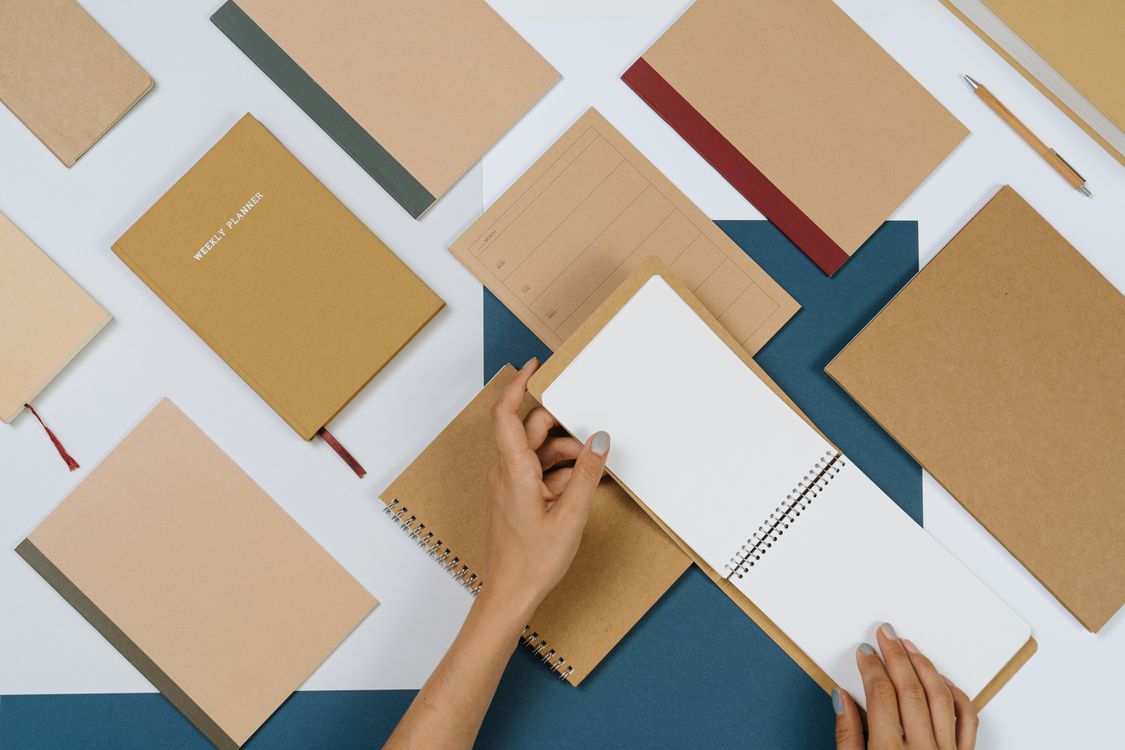
SocialBee’s free content calendar template includes a built-in idea bank with around 350 starter prompts, which is genuinely useful if you’re starting from zero and need inspiration to fill your own list. Once you’ve got fifteen or twenty ideas of your own banked, you’ll likely find yourself relying on the starter prompts less and your own running list more.
- Content calendar: A simple weekly or monthly grid to plan posts in advance.
- Caption swipe file: A document of caption formulas organized by post type.
- Canva design set: Three to four reusable templates matched to your brand colors.
- Brand kit page: One document listing your colors, fonts, and visual tone.
- Idea bank: A running list of content ideas sorted by category and status.
How to Customize a Template Without Wasting the Time It Was Meant to Save
The irony of templates is that creators sometimes spend more time perfecting a free template than they would have spent just creating the content directly. Set a hard limit before you start customizing — fifteen minutes to adjust colors, fonts, and structure to fit your brand, then stop adjusting and start using it. A template that’s 90% perfect and actually in use beats a template that’s 100% perfect and still sitting in draft mode three weeks later.
Once customized, treat the template as locked for at least a month of real use before changing anything else. You’ll learn far more about what actually needs adjusting by using it on real content than by guessing what might need adjusting before you’ve tried it once.
Where to Store Templates So You Actually Find Them Again
The most common reason creators stop using a good template is simple — they can’t find it again three weeks later. Pick one home for all your templates: a single Google Drive folder, or one Notion page with everything linked from it, and commit to that one location. Bookmark it. Pin it. Whatever it takes to make opening it a reflex rather than a search.
Label each template clearly by purpose rather than by date or vague naming. “Caption Swipe File” gets reused; “Untitled document 14” gets forgotten and rebuilt from scratch the next time you need it, wasting exactly the time the template was supposed to save in the first place.
Frequently Asked Questions
Do free templates actually look professional, or do they look generic?
It depends entirely on how much you customize them. A free Canva template used exactly as downloaded, with stock colors and fonts, will look generic because thousands of other creators are using the same defaults. The same template, customized with your own brand colors, fonts, and imagery, looks completely different and entirely your own. The template provides structure; your customization provides the actual personality.
How many templates does a solo creator actually need to get started?
Far fewer than most “ultimate template pack” downloads suggest. A content calendar, three or four Canva design templates, and a simple idea bank cover the vast majority of what a solo creator needs day to day. Adding more templates than you’ll realistically maintain just creates clutter and abandoned tools sitting unused in a folder.
Should I pay for premium templates instead of using free ones?
Not at the start. Free templates from Canva, Notion, Buffer, and Google Sheets cover the core needs of nearly every solo creator without any cost. Premium template packs make more sense once you’ve outgrown a specific free option’s limitations — for example, needing advanced automation in a content calendar that the free version simply doesn’t support.
Can I sell templates I’ve customized for myself?
This depends on the original template’s license. Most free templates from platforms like Canva and Notion are intended for personal or business use, not resale as a standalone product. If you’ve built something genuinely original using a free template as a starting structure, check that platform’s specific terms before reselling, since licensing rules vary between providers.
What’s the biggest mistake creators make when using templates?
Switching templates too often. Constantly trying new layouts, new calendar formats, or new caption structures prevents any single system from becoming a true habit. The biggest benefit of a template comes from repeated, consistent use over time, not from finding the theoretically perfect one. Pick something good enough, commit to it for a month, and only then decide if it genuinely needs replacing.
The Best Template Is the One You’ll Actually Open Again
Every simple template creators can download for free here solves a real, recurring problem — planning, captioning, designing, branding, and storing ideas — without costing anything or requiring technical skill. None of them are flashy. All of them work, provided you actually use them consistently rather than collecting them and moving on to the next download.
Pick one template from this list today. Customize it in fifteen minutes. Use it on your very next piece of content. That single action will save you more time this month than reading ten more articles about which template is theoretically the best one out there.

Zahid Ali focuses on reviewing AI tools, marketing software, and funnel systems. His reviews break down real-world use cases, setup difficulty, pricing structures, and who each product is best suited for.